If there’s one universal element in the professional world that generates both love and hate, it’s meetings. When effective, they can align teams, unlock ideas, and accelerate projects. But when they’re not, they become black holes of time and energy that devour our productivity.
In an era where remote and hybrid work is the norm and artificial intelligence tools are redefining our capabilities, mastering the art of the effective meeting is no longer just a desirable skill—it’s a strategic necessity. The good news? It’s not magic, it’s method.
Below, I present a decalogue of 10 practical steps to transform our meetings, with a special focus on how technology, particularly AI, can become our best copilot to achieve this.
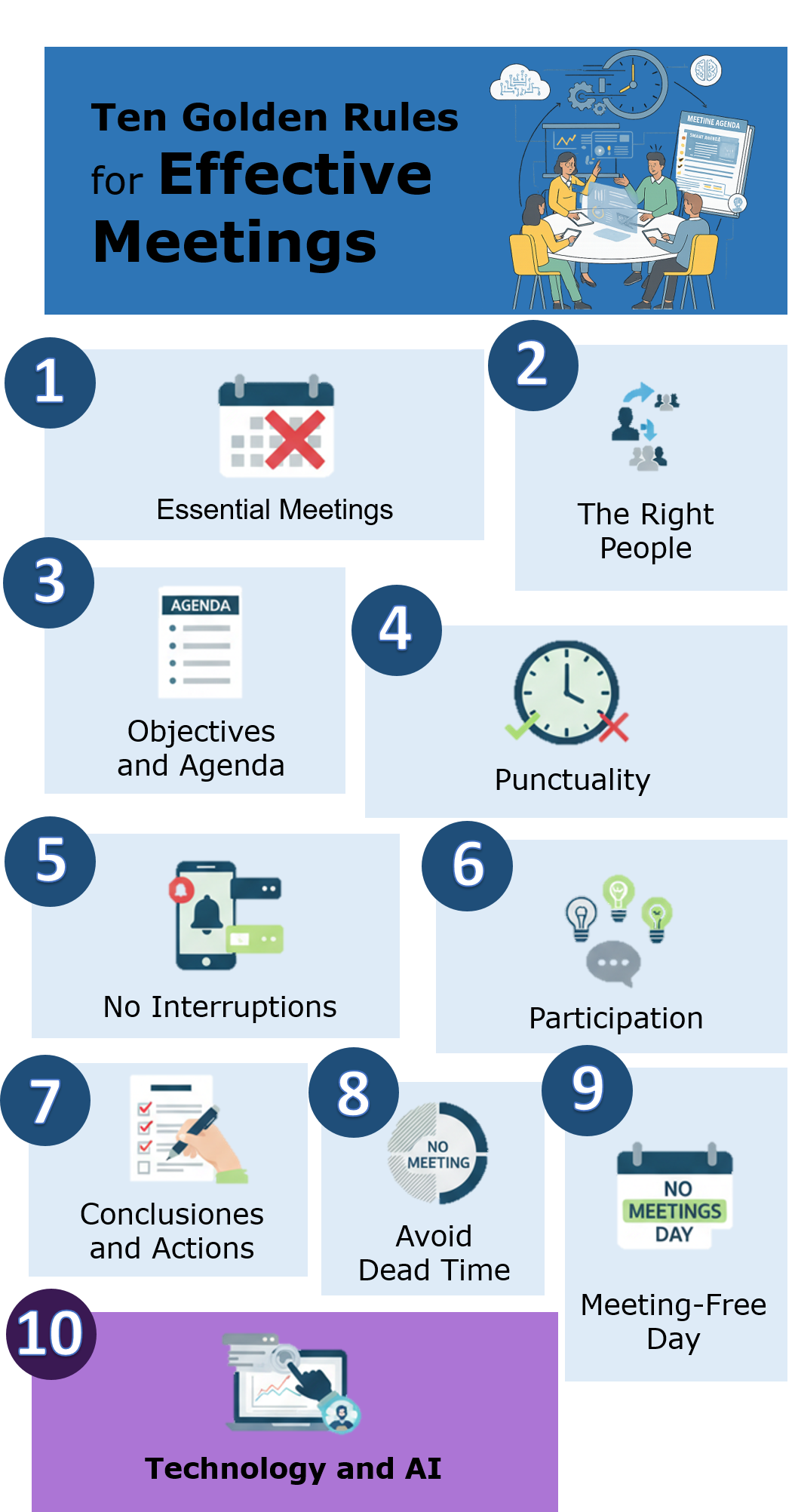
The Decalogue for Excellent Meetings
1. Meetings Only for the Essential
The first rule of a good meeting system is… to have fewer meetings. Before scheduling, ask yourself: Is it really necessary? Can it be resolved with an email, a shared document, or a quick message? Reserve synchronous time for discussions, complex decision-making, or brainstorming sessions that genuinely require real-time interaction.
2. Invite the Right People (and Respect Their Schedule)
A meeting with too many attendees is a recipe for inefficiency. Invite only those who are essential for decision-making or whose contribution is indispensable. Before setting a time, use calendar tools to check the availability of key attendees and avoid unnecessary conflicts.
3. Define Objectives and a Clear Agenda (24h in Advance)
A meeting without an agenda is like a ship without a rudder. The invitation should always include the main objective, a detailed agenda, and any necessary pre-reading materials. Sending this at least 24 hours in advance allows attendees to arrive prepared, making the meeting much more productive.
4. Start and End on Time (and Shorten if Possible)
Punctuality shows respect for everyone’s time. Start at the scheduled time, even if not everyone has arrived, and end on time. A pro tip is to schedule 25 or 50-minute meetings instead of 30 or 60, leaving a small buffer between commitments.
5. No Interruptions: Absolute Focus
For a meeting to be effective, it requires the full attention of its participants. Establish a rule to silence mobile phones and close messaging applications (Slack, Teams, etc.). The cost of multitasking and distractions is much higher than we think.
6. Contribute Ideas and Encourage Active Participation
A meeting is not a lecture. The facilitator must ensure that all voices are heard. Foster an environment of psychological safety where ideas, not people, can be debated. Active listening is crucial.
7. Summarize Conclusions and Actions at the End
The last 5 minutes of the meeting are the most important. Use them to verbally summarize key decisions, concrete actions, assigned owners, and deadlines. This ensures everyone leaves with the same understanding.
8. Avoid Calendar “Dead Zones”
When a meeting is scheduled directly impacts attendee energy and focus. Avoid late afternoon meetings when fatigue sets in, or very early morning meetings when people need time to organize their day. Mid-morning slots are often the most productive.
9. Establish a “No Meeting Day”
An increasingly popular and highly effective practice. Agree with your team on one day a week or month (e.g., Wednesdays) when no internal meetings are scheduled. This frees up an uninterrupted block of time for “deep work.”
10. Use Technology (and AI) as Your Ultimate Copilot
Technology is no longer just for connecting remote people; it’s for making the entire meeting lifecycle smarter and more agile. Here’s an arsenal of tools and practical use cases.
Before the Meeting: Smart Planning
A successful meeting starts long before it begins.
- Automatic Scheduling: Forget the endless email chains trying to find a slot. Tools like Clockwise or Motion analyze the entire team’s calendars, find the best time for everyone while respecting their deep work blocks, and even intelligently reschedule meetings if conflicts arise.
- AI-Powered Agenda Creation: Instead of starting from scratch, you can ask an AI assistant for help.
- Practical Case (Prompt for Gemini/ChatGPT): “Generate a detailed agenda for a 60-minute meeting. The objective is to decide the marketing strategy for the ‘X’ product launch. Attendees are the Marketing Director, a social media specialist, and a data analyst. Include timings for each point and key questions to discuss.”
During the Meeting: Focus on Conversation, Not Notes
The goal is for participants to focus on discussion, not transcription.
- Real-Time Transcription and Translation: Major platforms now integrate this. Google Meet (with Gemini) and Microsoft Teams (with Copilot) not only transcribe the conversation but can translate it in real-time, removing language barriers in international teams.
- Dedicated Assistants: Tools like Otter.ai or Fireflies.ai act like an extra participant in the meeting. They join the call, record the audio, transcribe it, and, crucially, identify who said what. This is invaluable for follow-up.
After the Meeting: Automated Wrap-up and Follow-through
This is where AI shines brightest, turning ephemeral conversation into tangible outcomes.
-
Summaries and Analysis: Instead of rereading the entire transcript, tools like Read.ai automatically generate a summary with key topics, questions asked, and even engagement metrics (who spoke the most, overall meeting sentiment, etc.).
-
Action Item and Decision Extraction: This is the ultimate superpower. You can take the full transcript from Otter.ai or Google Meet, paste it into an advanced language model, and use a prompt to do the heavy lifting.
- Practical Case (Prompt to analyze a transcript):
Act as an expert project assistant. Analyze the following meeting transcript and perform three tasks:
- Generate an executive summary in 5 key points.
- Extract a table of all agreed-upon action items. The table should have three columns: “Action Item,” “Owner,” and “Deadline.”
- Identify the main decisions made during the session.
- Practical Case (Prompt to analyze a transcript):
-
Drafting Minutes and Follow-up Emails: With the extracted information, you can ask the AI to draft the final communication.
- Practical Case (Follow-up prompt): “Based on the summary and action item table you just generated, draft a formal email to send to all attendees. The tone should be professional and proactive. Ensure the actions and owners are very clear.”
By delegating these administrative tasks to AI, we not only save hours of work but also ensure much more rigorous and consistent follow-up, closing the meeting loop flawlessly.
Conclusion
Mastering the art of meetings is one of the most powerful productivity levers we can pull. By following this decalogue and leveraging the incredible capabilities of AI, we can transform what is often a source of frustration into an engine of clarity, alignment, and progress for our teams and projects.
Sources of Interest:
- Harvard Business Review: Stop Wasting Time in Meetings - A classic, in-depth analysis of why meetings fail and how to fix them.
- Google Workspace: AI for meetings and video conferencing - Google’s official page detailing the AI features (Gemini) integrated into Google Meet.
- Microsoft Copilot for Teams - Discover the capabilities of Microsoft’s AI assistant for its meetings.
- Otter.ai & Fireflies.ai - Two leading tools for meeting transcription and analysis.
- Read.ai - An example of an AI tool that integrates with Zoom, Teams, and Meet to generate summaries, transcripts, and engagement metrics.