I thought the Autopilot was complete. Twitter, LinkedIn, Dev.to… everything automated with a simple git push. But I was missing something important: a direct connection with my readers.
Social media is great for reach, but algorithms decide who sees my content. With a newsletter, I have control. The email arrives directly in the inbox of those who really want to read me.
So I got to work adding this new piece to the puzzle.
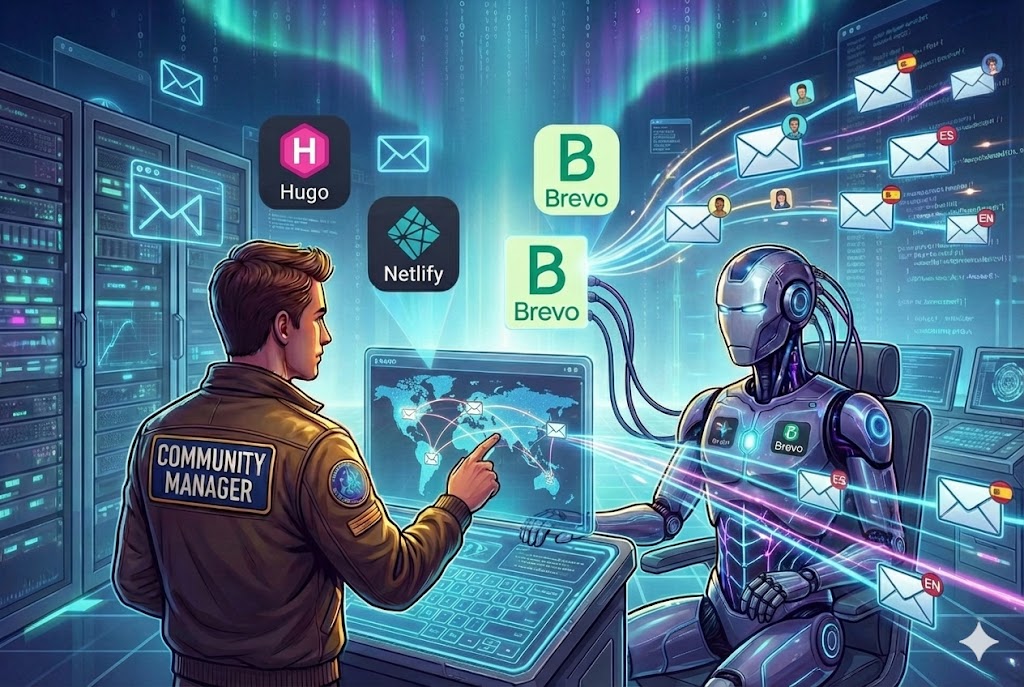
The Goal
I wanted a system that met these requirements:
- Elegant form integrated into the footer of all pages
- Bilingual: works perfectly in Spanish and English
- Language segmentation: each subscriber chooses their preferred language
- Total automation: when I publish a post, the newsletter is sent automatically
- Personalized content: emails with the subscriber’s name and AI-generated text
Choosing the Platform: Brevo
After evaluating options like Mailchimp, ConvertKit, and Sendinblue (now Brevo), I chose Brevo for several reasons:
- Free API for small volumes (300 emails/day)
- Advanced personalization with content variables
- Lists and segmentation to manage languages
- Simple integration with Netlify Functions
- GDPR compliance Headquarters in France with native GDPR compliance.
Solution Architecture
The system has three main components:
🔍 Haz clic en el diagrama para ampliarlo a pantalla completa
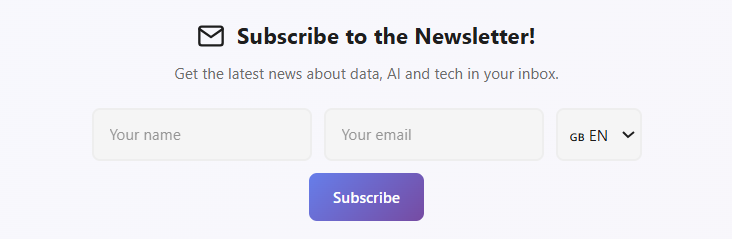
Part 1: The Subscription Form
Footer Design
The form lives in layouts/partials/extend_footer.html, a Hugo partial that is automatically injected across the entire website. I designed it to adapt to the page language:
{{- $isSpanish := eq .Site.Language.Lang "es" -}}
{{- $title := cond $isSpanish "¡Suscríbete a la Newsletter!" "Subscribe to the Newsletter!" -}}

<div class="newsletter-section">
    <div class="newsletter-container">
        <h3 class="newsletter-title">{{ $title }}</h3>
        <form id="newsletter-form" class="newsletter-form">
            <div class="newsletter-inputs">
                <input type="text" id="newsletter-name" placeholder="{{ $namePlaceholder }}" required />
                <input type="email" id="newsletter-email" placeholder="{{ $emailPlaceholder }}" required />
                <select id="newsletter-lang" name="language" class="newsletter-select">
                    <option value="es" {{ if $isSpanish }}selected{{ end }}>🇪🇸 ES</option>
                    <option value="en" {{ if not $isSpanish }}selected{{ end }}>🇬🇧 EN</option>
                </select>
                <button type="submit" class="newsletter-btn">{{ $buttonText }}</button>
            </div>
        </form>
    </div>
</div>
The language selector is key: it defaults to the page language, but users can change it if they prefer to receive emails in another language.
Netlify Function: The Bridge to Brevo
The form sends data to a Netlify Function that handles communication with the Brevo API:
// netlify/functions/subscribe.js
const { email, name, language } = JSON.parse(event.body);

// Split first and last name
const nameParts = (name || '').trim().split(' ');
const firstName = nameParts[0] || '';
const lastName = nameParts.slice(1).join(' ') || '';

// Select list based on language
const listId = language === 'es' ? 3 : 4;

// Create contact in Brevo
const response = await fetch('https://api.brevo.com/v3/contacts', {
  method: 'POST',
  headers: {
    'api-key': process.env.BREVO_API_KEY
  },
  body: JSON.stringify({
    email: email,
    attributes: {
      FIRSTNAME: firstName,
      LASTNAME: lastName,
      LANGUAGE: language
    },
    listIds: [listId],
    updateEnabled: true
  })
});
The most important thing here is language segmentation:
- Subscribers who choose ES go to List #3
- Those who choose EN go to List #4
Part 2: The Newsletter Agent
For the email content, I created a new “Agent” in the Autopilot’s AI system. This agent has a different personality from the Twitter or LinkedIn ones:
# brain.py - Newsletter Agent
sys_instruction = (
    "You are writing a personal email to a friend who loves technology.\n"
    "Tone: Warm, personal, excited to share something interesting.\n"
    "Structure:\n"
    "1. HOOK: An engaging sentence about why this topic caught your attention.\n"
    "2. CONTEXT: Brief explanation of the problem or situation.\n"
    "3. VALUE: The key insight of the article.\n"
    "4. TEASE: A detail that makes them want to click.\n"
    "Rules:\n"
    "- Write 3-4 SHORT paragraphs.\n"
    "- CRITICAL: Use DOUBLE LINE BREAKS between paragraphs.\n"
    "- Use 2-3 subtle emojis (🔍, 💡, 🎯).\n"
    "- Do NOT include greeting or signature (added automatically)."
)
The key difference from social media agents is the personal tone. An email is a one-on-one conversation, not a post for the masses.
The agent doesn’t just translate. If the post is in Spanish, the ‘brain’ switches context to generate culturally relevant copy for the Hispanic audience, not just a translation
Part 3: The Newsletter Manager
This is the piece that orchestrates all the sending. It handles:
- Generating the HTML email with professional design
- Personalizing content with the subscriber’s name
- Creating and sending the campaign to the correct list
# newsletter_manager.py
class NewsletterManager:
    def __init__(self):
        self.api_key = os.getenv("BREVO_API_KEY")
        self.list_id_es = int(os.getenv("BREVO_LIST_ID_ES", "3"))
        self.list_id_en = int(os.getenv("BREVO_LIST_ID_EN", "4"))

    def send_campaign(self, subject, intro_text, post_title, post_url, lang="es"):
        # Select list based on language
        list_id = self.list_id_es if lang == "es" else self.list_id_en

        # Generate email HTML
        html_content = self._build_html_template(intro_text, post_title, post_url, lang)

        # Create campaign in Brevo
        create_payload = {
            "name": f"Newsletter {lang.upper()} - {post_title}",
            "subject": subject,
            "sender": {"name": "Datalaria", "email": "datalaria@gmail.com"},
            "htmlContent": html_content,
            "recipients": {"listIds": [list_id]}
        }

        # Send immediately
        response = requests.post(f"{self.base_url}/emailCampaigns", json=create_payload)
        campaign_id = response.json().get("id")
        requests.post(f"{self.base_url}/emailCampaigns/{campaign_id}/sendNow")
The HTML Template
The email has a clean design with dynamic personalization:
<p style="font-size: 18px;">
    Hi {{ contact.FIRSTNAME | default: 'friend' }},
</p>

<div style="font-size: 16px; line-height: 1.7;">
    {{ ai_generated_content }}
</div>

<a href="{{ post_url }}" style="background: linear-gradient(135deg, #667eea 0%, #764ba2 100%);">
    👉 Read full article
</a>
The {{ contact.FIRSTNAME }} variable is Brevo magic: it automatically replaces with each subscriber’s name.
Part 4: Integration with the Orchestrator
The final step was connecting all this with the existing Autopilot flow:
# orchestrator.py
if enable_newsletter:
    post_lang = post_data['lang']  # 'es' or 'en' based on directory

    # Generate personalized content
    newsletter_text = brain.generate_social_copy(
        post_data['title'],
        post_data['content'],
        platform='newsletter',
        lang=post_lang
    )

    # Send only to the post's language
    newsletter_manager.send_campaign(
        subject=f"🚀 New on Datalaria: {post_data['title']}",
        intro_text=newsletter_text,
        post_url=post_url,
        lang=post_lang
    )
The logic is simple but powerful:
- If I publish a post in
/es/posts/→ it’s sent to the ES List - If I publish in
/en/posts/→ it’s sent to the EN List
No mixing or automatic translations. Each audience receives content in their language, about posts written for them.
The Result
After all this implementation, my workflow became:
- Write an article in
/content/es/posts/new-article/ - Do
git push - GitHub Actions detects the change
- The Autopilot:
- Generates tweets and LinkedIn posts (as before)
- NEW: Generates personalized newsletter content
- Creates a campaign in Brevo
- Sends the email to all subscribers in the ES List
Email received by subscribers:
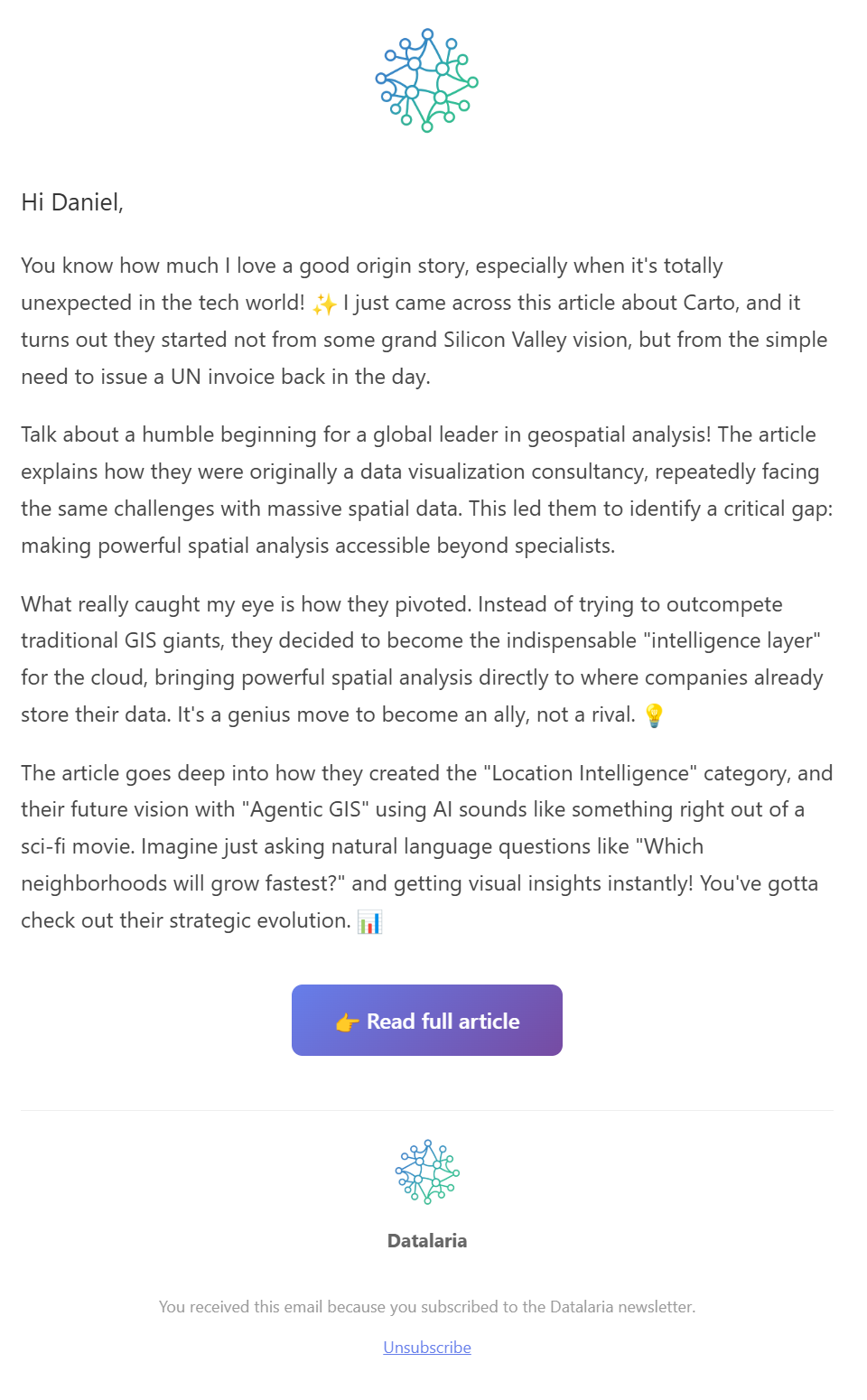
The email includes:
- ✅ Personalized greeting with name
- ✅ AI-generated content with subtle emojis
- ✅ Gradient call-to-action button
- ✅ Datalaria logo
- ✅ Unsubscribe link
GitHub Actions Configuration
For everything to work in production, I added the following variables to the workflow:
# .github/workflows/autopilot.yml
env:
  ENABLE_NEWSLETTER: ${{ vars.ENABLE_NEWSLETTER }}
  BREVO_API_KEY: ${{ secrets.BREVO_API_KEY }}
  BREVO_LIST_ID_ES: ${{ vars.BREVO_LIST_ID_ES }}
  BREVO_LIST_ID_EN: ${{ vars.BREVO_LIST_ID_EN }}
Lessons Learned
1. Brevo doesn’t support inline filters
Initially I tried using segmentConditions to filter by LANGUAGE attribute directly in the API call. It doesn’t work. Brevo requires predefined lists or saved segments. The solution was to create two separate lists.
2. Line breaks matter
The AI-generated content came as plain text. I had to create a _text_to_html_paragraphs() function that converts double line breaks into <p> tags so the email renders correctly.
3. Tone matters more than content
For the newsletter I spent extra time calibrating the AI agent prompt. Unlike Twitter (viral) or LinkedIn (professional), email has to sound like a friend writing to you. The model temperature and formatting instructions were key.
Conclusion
The Autopilot no longer just posts on social media. It now also cultivates a direct relationship with readers through email.
The best part is that the additional effort when publishing is zero. Everything is still a simple git push. The magic happens on its own.
What about you? Do you have a newsletter yet? If not, I hope this post gave you ideas to get started. And if you do… why not automate it? 😉
Did you enjoy this article?
Then you know what to do: scroll down and subscribe to the newsletter. I promise not to send spam, just content as interesting as this. 👇