Until now, everything was fun. We had AI agents with cynical personalities (Post 3) and a brain capable of analyzing text (Post 2). But everything lived in the safety of my terminal, on localhost.
For Datalaria Autopilot to become real, it had to get out into the world.
Here is where the project stopped being an engineering problem and became a battle against API Bureaucracy.

The Goal: Publishing as a Brand, Not a Person
My requirement was clear: I don’t want the bot posting on my personal LinkedIn profile. I want it to post on the Datalaria Company Page, with the official logo and a corporate tone.
Technically, this requires a change in the API endpoint:
- Personal Profile:
urn:li:person:12345 - Company Page:
urn:li:organization:110125695
It looks like a one-line code change. It ended up being a couple of days of waiting and red tape.
Battle 1: Twitter (X) and the Anti-Bot Wall
First up, Twitter. Getting API access these days requires passing an audition. I had to apply for the Free Tier and write a “motivational letter” explaining that I am not a Russian spam bot, but an AI technical enthusiast.
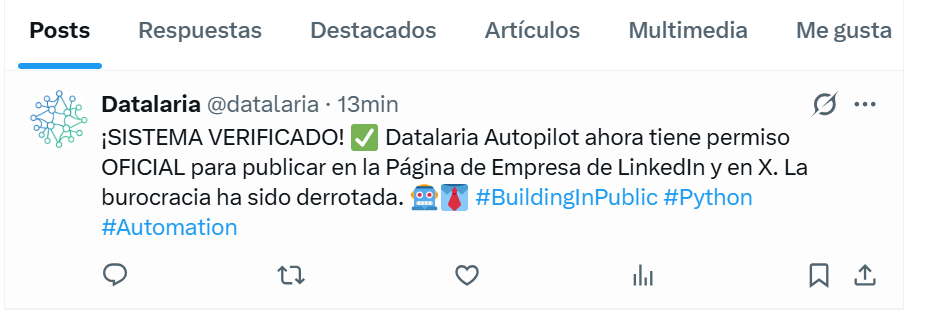
After getting past the 403 Forbidden error (I forgot to enable “Read & Write” permissions) and the Duplicate Content error (I tried sending the same “Hello World” twice), I achieved connection. Twitter/X was ready, and in principle, everything worked simply.
Battle 2: The Final Boss (LinkedIn Company Pages)
The biggest problem occurred with LinkedIn.
I designed my social_manager.py script to use a company ID if it existed in the environment variables:
# Hybrid logic in Python
if company_id:
    print(f"🏢 Company ID Detected. Posting as page...")
    author_urn = f"urn:li:organization:{company_id}"
else:
    print("👤 Posting as personal profile...")
When I ran it, the console spat out a blood-red error:
❌ Error posting to LinkedIn: Status 403: ACCESS_DENIED
The Ghost Permission: w_organization_social
I discovered that the standard LinkedIn token only gives you the w_member_social permission (posting as a person). The permission for companies (w_organization_social) did not exist in my developer dashboard.
To unlock it, I had to complete an administrative scavenger hunt:
- Page Verification: I had to generate a special URL in the Developer Portal and approve it with my admin account. Result: Company Verified. ✅
- Even so, it didn’t work: The permission still didn’t appear.
- The Hidden Request: I had to request access to the “Marketing Developer Platform” product.
- The Form: LinkedIn made me fill out a questionnaire detailing that I am a “Direct Customer,” that I am not an advertising agency, and that my usage is strictly internal for organic automation.
The Victory
After a few hours of waiting, the approval email arrived. I re-generated the token and… there it was!
With the new “Super Token” loaded into my .env, I ran the script one last time.
--- TESTING SOCIAL MEDIA MANAGER ---
DTO - Posting to Twitter... ✅ Success!
DTO - Posting to LinkedIn...
🏢 Company ID Detected: 110125695.
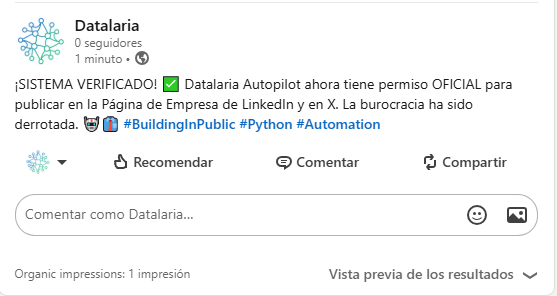
✅ LinkedIn Success! Post ID: urn:li:share:741...
And the definitive proof on the social network:
Conclusion and Next Steps
I have achieved what seemed impossible: a Python script that has legal authorization to act as my company.
But there is one final problem: This token expires in 60 days.
If I do nothing, in two months this whole system will break. Furthermore, I am still running the script manually from my laptop.
In the final post of this series, we are going to automate it all. We will use GitHub Actions so the system runs itself every time I upload an article, and (if the API lets us) we will implement automatic token renewal.
Coming Up - Post 5: Total Automation (CI/CD).
👉 Source Code: The final social_manager.py module is available in the GitHub repo.